
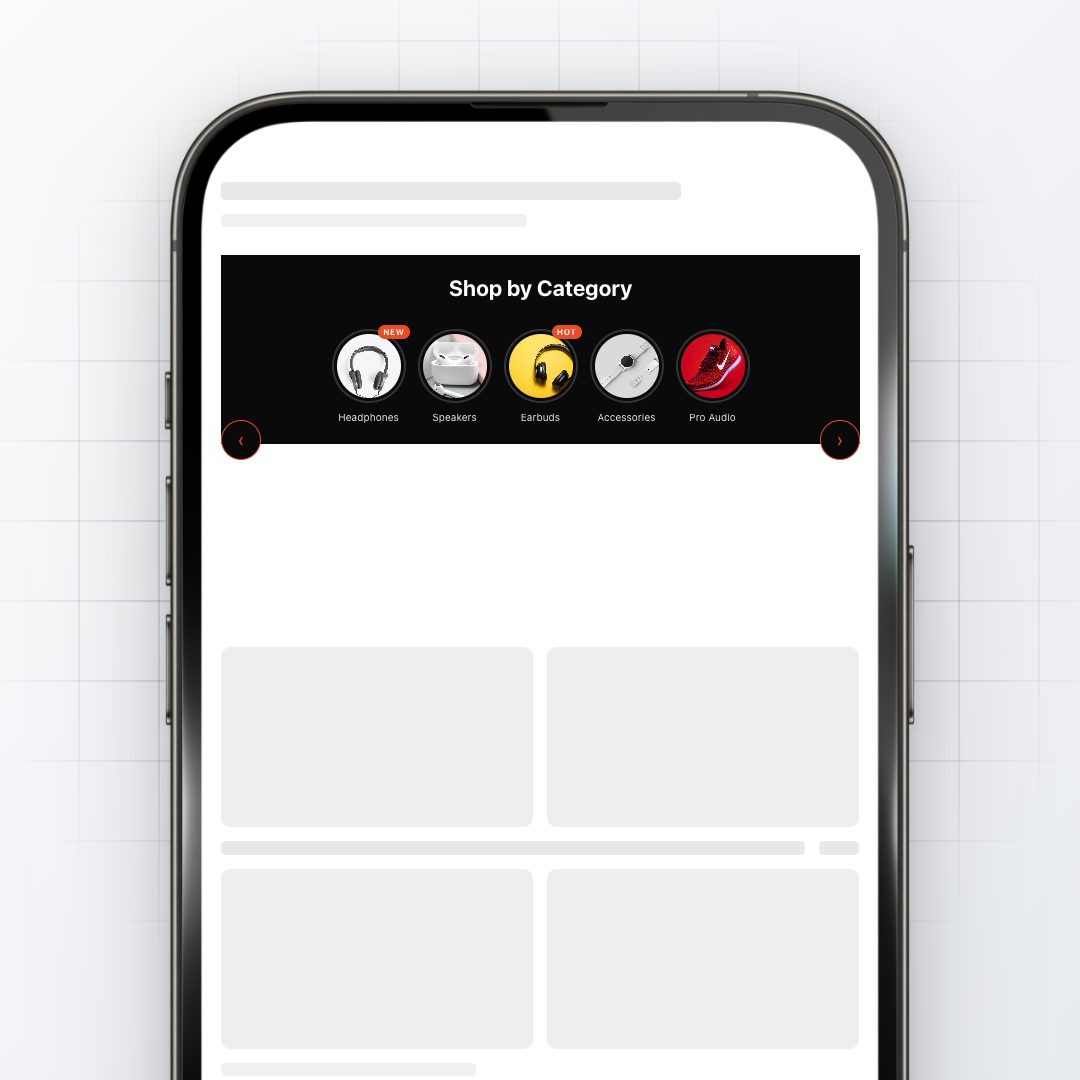
Circle Menu
- Icons: Choose images, add text beneath, and set links for each menu item
- Slider Width: Adjust how much of the screen width the menu occupies
- Icon Size: Set the size of circular icons for desktop and mobile
- Text Customization: Change font, size, color, and spacing of text below icons
- Colors: Modify background, icon border, and text colors; add gradients
- Spacing: Adjust gaps between icons, section padding, and margins
- Visibility: Option to hide on desktop or mobile devices
Pairs well with
Instant access after purchase
14-day money-back guarantee
Free updates for 12 months
Works with any Shopify theme
Circle Menu
Section details
What this section does
Brief description of the conversion problem this section solves and the CRO finding it came from. Customize per product in the Shopify admin.
Technical details
Drop-in Liquid for any Shopify 2.0 theme. Mobile-first, no layout shift, lazy-loaded. Zero JS dependencies. Works on Dawn, Empire, Impulse, Concept, Symmetry, and all other 2.0 themes.
What's included
All 6 design presets (Clean, Modern, Bold, Warm Luxe, Neon Pop, Earth Tone). Customizer access. Generated Liquid code. Step-by-step install docs. Free updates for 12 months.
Install time
Under 10 minutes for most merchants. Buy → get customizer link → pick preset → tweak colors → generate Liquid → paste into your theme. Or pick Done-For-You at checkout and we install it for you within 24 hours.
Replies within 24 hours on weekdays. If you need install help, add the Done-For-You variant at checkout and we'll install it on your theme.
-
How install works
After purchase you get the customizer link by email. Pick a preset, tweak colors and copy, generate the Liquid, paste it into your Shopify theme. Most sections install in under 10 minutes.
-
Done-for-you install
Pick the Done-For-You variant at checkout (€62). We install the section on your theme within 24 hours. Theme stays untouched until you publish.
-
FAQ
See the FAQ section below for the most common questions. Subscription? No. Theme compatibility? Yes, all Shopify 2.0 themes. Updates? Free for 12 months.
-
Contact us
Email support@cro-labs.com or message us on Fiverr (shopifyexpertde, 4.9 stars). German and English support, Bangkok time zone (GMT+7).
3 presets, infinite combinations
Every section ships with all six design presets. Pick whichever matches your brand, customize the colors if you want, paste the generated Liquid into your theme.
Drop-in Liquid. Sized for Shopify 2.0.
Every section is hand-coded for Liquid 2.0, lazy-loaded where it makes sense, zero unnecessary JavaScript. Lighthouse Performance stays in the green.
Free updates for 12 months
Built from 478 documented store audits
Every block in the library traces back to a real CRO finding. We watched the conversion problem on a real store, fixed it, then turned the fix into a drop-in section.
FAQ
Common questions. Still stuck? Contact us.
How fast can I install this section?
Under 10 minutes for most sections. Buy → get the customizer link → pick a preset → tweak colors and text → generate Liquid → paste into your Shopify theme.
Will it slow my store down?
No. Hand-coded for Liquid 2.0, lazy-loads where it makes sense, zero unnecessary JavaScript. Lighthouse Performance stays in the green.
Does it work with my Shopify theme?
Yes. Sections are theme-agnostic standalone Liquid you paste into any Shopify 2.0 theme (Dawn, Empire, Impulse, Concept, Symmetry, all of them).
What if I need help installing?
Pick the Done-For-You variant at checkout (€62) and we install it on your theme within 24 hours. Otherwise the docs walk you through the paste flow.
Is this a subscription?
No. One-time €14 per section. Keep what you buy. Free updates for 12 months.